Citizen Space is the digital platform for citizen engagement
Citizen Space is the digital platform for citizen engagement
Single platform for citizen engagement processes including:
- Formal policy consultation
- Community engagement
- Spatial planning
- Publishing statutory notices
- Calls for evidence
- Permitting and licensing processes
- Resident and user surveys
- Publishing responses and outcomes
Request a demo to find out how Citizen Space helps you achieve your citizen engagement goals.


"Our old tools were really antiquated and hard to use internally. As a modern tool with a proven track record, Citizen Space lowers barriers to entry. That's really important."
- Jason Kitkat, Essex County Council, UK.

Replace inefficient processes
Put an end to outdated citizen engagement methods. Use online to augment offline. Save time and money.

Consolidate tools
Stop managing multiple licenses and suppliers. One central place to find everything.

Reduce cost
Simple subscription pricing for the platform. Cost-effective and cheaper than legacy solutions.
Citizen Space increases the quality of engagement
Citizen Space has been in continuous development with customers for over 15 years, and has been proven in use with hundreds of government organisations around the world.
You can count on Citizen Space when you need to run high-quality citizen engagement activities, such as statutory consultation, community engagement, spatial planning, calls-for-evidence and public inquiries, transport and infrastructure projects, permitting and licensing, climate engagement and more.

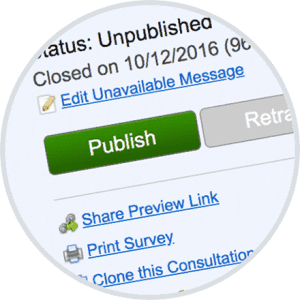
Central admin dashboards
Find and control all activities in one dashboard. Quickly see status, responses and results in real-time.
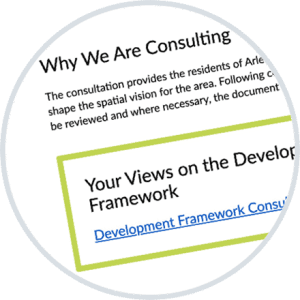
Fosters good practice
Accessible. Visually appealing design. Worfklow templates. Run citizen engagement activities with confidence.
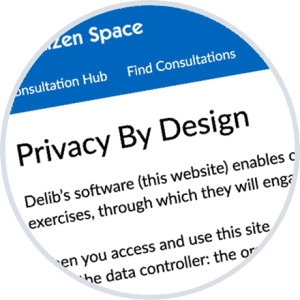
Compliance & Privacy
You own and control the data. Always hosted in your territory. Built with privacy-by-design principles.
Vastly improves quality of response
Inform people about issues and options at the point of response. Present information in ways that are easy to digest. Respondents can deliberate easily and provide meaningful responses.


Flexible and adaptable response mechanisms
Consultations. Forms. Surveys. Information pages. Routing and skip logic. Build what your users need.

Convey information meaningfully
Use images, video and maps to bring citizen engagement to life. Publish plans, policies and other documents.

Structure information for greater deliberation
Respondents can find what they need and choose the depth of information they wish to engage with.
"When you jump onto Citizen Space you’re straight in there giving your say. There’s no barrier to it. Citizen Space plays a huge part in actually getting a response rather than just giving a reaction."
Julie Clausen, Hamilton City Council, New Zealand
Analysis and reporting
Engagement and consultation activities become significantly more effective when paired with insightful analysis. With Citizen Space, responses transform into valuable data, shifting from mere feedback to meaningful insights.

Navigate & Filter
Explore data by response or by question. Use filters to examine data subsets. Combine filters for sophisticated queries.

Code / tag
Analyse qualitative data with ease by coding/tagging text-based responses thematically.

Cross-tab and chart
Correlate answers from multiple questions. Use data tables and charts to discover trends in the response data.
Automate, integrate, and connect everything
Streamline your citizen engagement processes with Citizen Space's integrations, webhooks, and secure data API. Effortlessly sync responses with other systems like Microsoft Power Apps®, records-management systems, and data dashboards.
Seamlessly connect with citizen-facing services and back-office systems for a more cohesive experience. With our automations, workflows, and notifications, you can significantly reduce manual processing and eliminate double-handling, saving both time and money.
"What we really wanted was an integrated citizen engagement platform that has the analysis, data collection, and survey design as well.
Florence Obinna, London Borough of Hackney, UK
That’s why we really liked Citizen Space."
It's easy to get started with Citizen Space
Citizen Space is a web-based citizen engagement platform. There's no software to install, which means no extra work for your IT team. You own all the data collected. Our robust security keeps it safe.
Your dedicated customer success manager will guide you through platform set up, adoption and ongoing use.
"I would like to thank and compliment the staff of Delib for their professionalism and the level of service they have provided during our first year using Citizen Space.
They have assisted and guided us with great patience during this time. They are a pleasure to work with."
- Jim Ryan, Press Officer, Dún Laoghaire-Rathdown County Council, Republic of Ireland
Want a real person to walk you through a live demo?
We’re happy to help out. We'll answer all your questions. We won't share your contact details.
Request a Free Demo